If your HR team runs on infithra and your finance team runs on Oracle NetSuite, chances are payroll numbers still move between the two by hand at some point every month. Someone pulls out a report, someone else re-enters it, and by the time the figures reach the general ledger, they have already passed through at least one spreadsheet.
For businesses operating across the UAE, Saudi Arabia, and other GCC markets, where a single group often runs several legal entities under one Oracle NetSuite account, that manual handoff adds up quickly. It slows down the close, and it leaves room for the kind of small errors that turn into big reconciliation headaches.
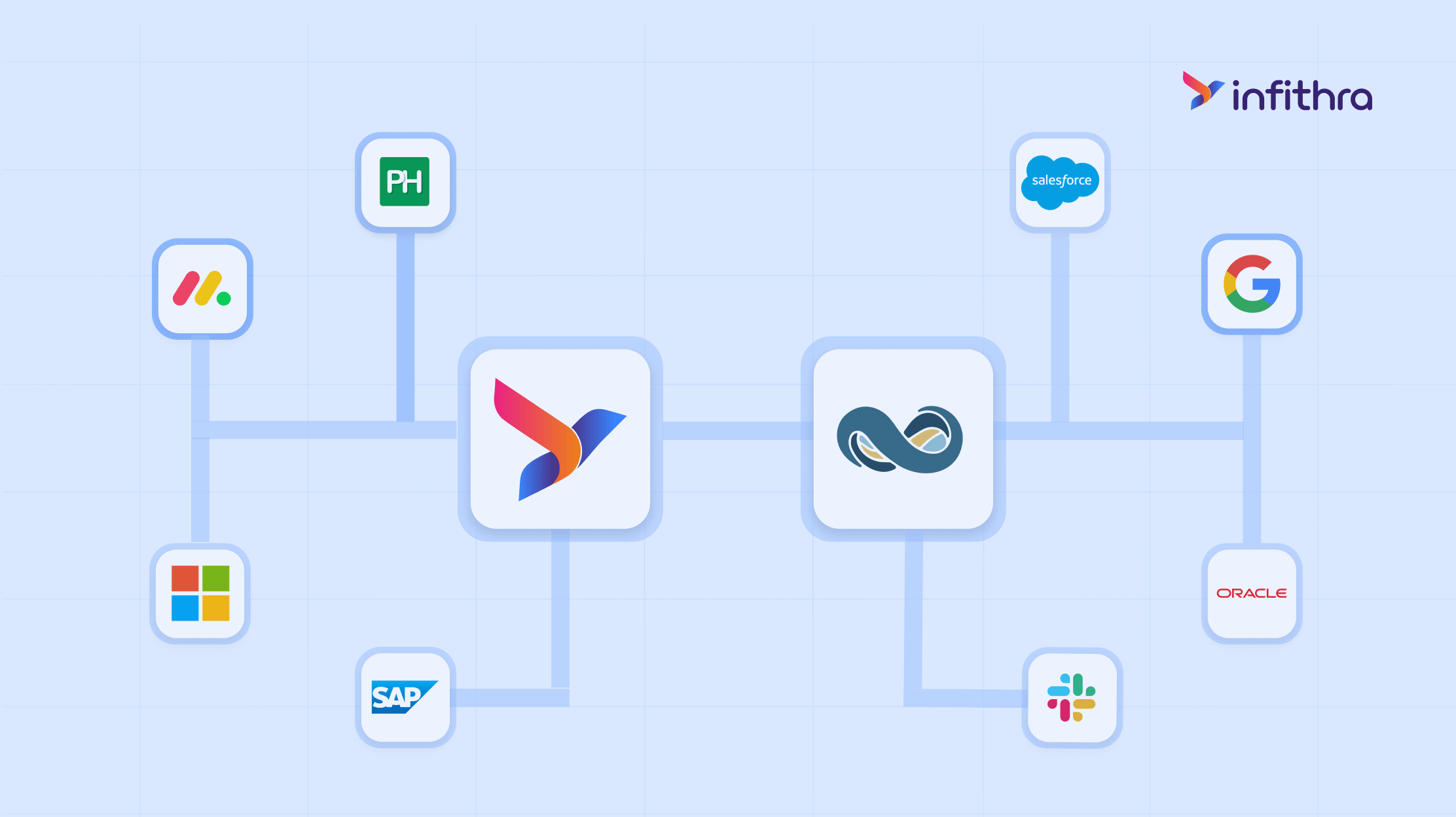
The infithra Oracle NetSuite Connector is built to close that gap. It links your HRMS directly with your ERP, so employee records and payroll journal entries move between the two systems without anyone re-typing them.
This article covers what the connector is, why it matters for HR and finance teams in the region, and the benefits it brings once it is live.
What Is the infithra Oracle NetSuite Connector?
The infithra Oracle NetSuite Connector is a native integration that links your infithra HRMS account with your Oracle NetSuite instance. Once it is active, employee data and payroll-related financial entries pass between the two platforms on their own- no exports, no imports, and no reconciliation spreadsheets in between.
It is built to work with both types of Oracle NetSuite accounts:
- NetSuite OneWorld: designed for companies managing multiple subsidiaries or legal entities, which is common for GCC groups running operations across the UAE, KSA, Oman, and other countries under a single parent structure.
- NetSuite Standard (Non-OneWorld): designed for companies operating as a single legal entity with a simpler setup.
Whichever setup you use, the connector keeps four things aligned between the two systems: employee master data, expense management journal entries, chart of accounts, and organizational structure such as subsidiaries, departments, locations, and business verticals.
Why This Integration Matters for HR and Finance Teams
Companies running separate HRMS and ERP platforms tend to run into the same three problems: data that lags, entries that get keyed in twice, and reconciliation errors that surface right when the close is due. A direct connector solves this at the source by keeping both systems in sync, so nobody has to touch a CSV file to make the numbers line up.
For finance leaders, that means a faster, cleaner month-end close. For HR and payroll teams, it means fewer questions from finance about why an employee record in Oracle NetSuite does not match what is in infithra.
The Benefits of Connecting infithra with Oracle NetSuite
Here is what changes for your HR and finance teams once the connector is live:
- One employee record entered once. HR updates a profile in infithra and finance never has to key the same details into Oracle NetSuite again.
- Journal entries build themselves. Payroll runs generate journal entries automatically, so finance is no longer assembling them by hand every month.
- Expenses move without a second entry. Once an expense is approved in infithra, it does not need to be re-entered on the NetSuite side.
- A faster month-end close. With employee and payroll data already synced, closing the books becomes a review step rather than a data entry task.
- Fewer manual posting errors. Automated journal posting cuts down on the transcription mistakes that come with manual re-entry.
- One source of truth for employee data. The same employee record exists in both systems, so HR and finance are never working off different versions of the truth.
- A clear, traceable trail for every transaction. Every synced record and journal entry can be traced back to its source, which makes audits and reconciliation far less painful.
- Built to scale with your business. As your organization adds subsidiaries across the UAE, KSA, or other GCC markets, subsidiaries and chart of accounts mapping scales right along with it.
How the Connector Supports Your HRMS
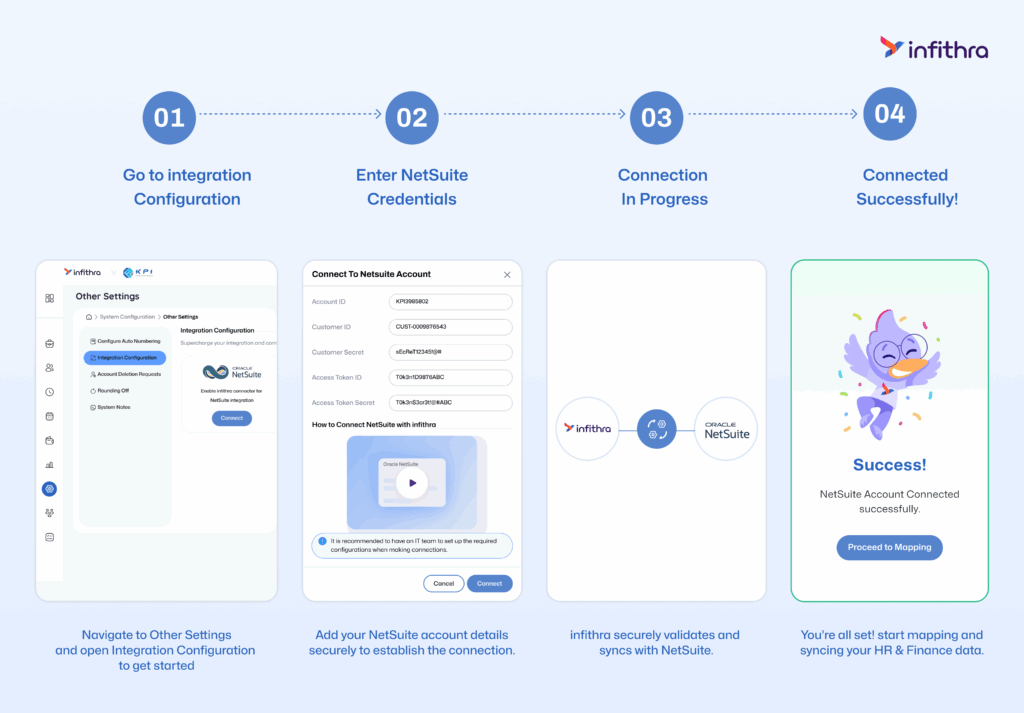
Beyond getting numbers into Oracle NetSuite, the connector changes what your HR and payroll teams deal with day-to-day.
Payroll data posts to the general ledger following your chart of accounts, grouped by subsidiary, department, location, or business vertical depending on how your finance team wants to view it. Subsidiary, department, location, and chart of accounts mapping stay consistent across both platforms, so group-level reporting holds together even as the organization grows.
The result is an HRMS that does more than manage people. It becomes a reliable, real-time source of payroll and workforce data for the finance function too.
Built for the Way GCC Businesses Operate
Running payroll and finance across the UAE, Saudi Arabia, Oman, and other GCC markets usually means managing more than one legal entity, often with different currencies, cost centers, and reporting lines. The infithra Oracle NetSuite Connector is built with this in mind. Its subsidiary and cost center mapping is not limited to a one-to-one setup, so a group with several infithra subsidiaries can map cleanly to the right entities inside Oracle NetSuite, whether that is one NetSuite subsidiary for the whole group or a separate one for each country of operation.
That flexibility matters for any organization planning to grow across the region. The connector is designed to expand with you rather than needing to be rebuilt every time a new entity joins the group.
Ready to Connect infithra with Oracle NetSuite?
The infithra Oracle NetSuite Connector is built to save your HR and finance teams the hours they currently spend on manual data entry and reconciliation. If your organization runs both platforms, across a single UAE entity or a multi-country GCC group, this integration is worth setting up sooner rather than later.
Beyond this connector, infithra offers a full suite of workforce solutions built to work together, including core HRMS and employee lifecycle management, payroll and compliance automation, expense and reimbursement management, biometric and attendance integration, employee self-service tools, and analytics dashboards for HR and finance leadership.
Reach out to the infithra team to get your Oracle NetSuite connection set up, or to explore how the rest of the infithra platform can bring your HR and finance systems closer together.
Frequently Asked Questions
What does the infithra Oracle NetSuite Connector actually do?
It links infithra HRMS with Oracle NetSuite, so employee records and payroll journal entries sync automatically, removing the need for manual exports, imports, or reconciliation spreadsheets between the two systems.
Does the connector support companies with multiple subsidiaries across the GCC?
Yes. It works with NetSuite OneWorld accounts, which are built for organizations running several legal entities, such as a group with operations across the UAE, KSA, and Oman under one parent structure.
What is the difference between NetSuite OneWorld and NetSuite Standard for this integration?
NetSuite OneWorld is meant for companies with multiple subsidiaries or legal entities and supports mapping each one individually. NetSuite Standard, or Non-OneWorld, is meant for companies operating as a single legal entity, so the setup is simpler on both sides.
Does finance still need to manually re-enter payroll data after the connector is set up?
No. Once the connector is live, payroll-related journal entries post to the Oracle NetSuite General Ledger automatically, based on how subsidiaries, departments, locations, and the chart of accounts are mapped.
Does this integration need ongoing IT involvement?
Initial setup involves your NetSuite admin and infithra team configuring the connection once. After that, day-to-day syncing runs on its own, so IT does not need to be involved in every payroll cycle.
What data flows between infithra and Oracle NetSuite?
Employee data, including new hires and profile updates, and payroll-related financial data, including journal entries for payroll runs and expense reimbursements, flow from infithra into Oracle NetSuite.
Leave a Reply